
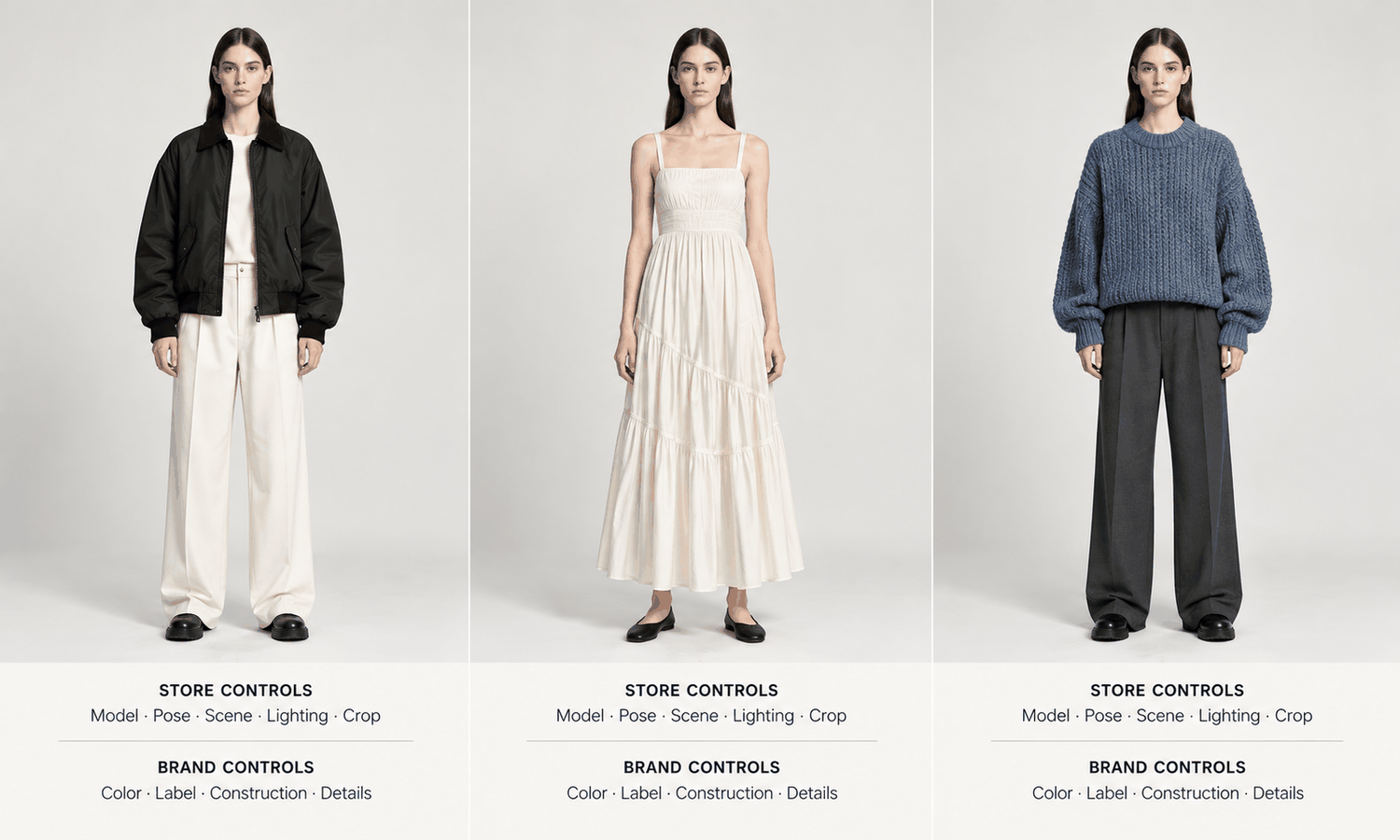
Using an AI model for clothes in a multi-brand boutique is different from using one for a brand's own collection. A boutique sells other people's designs. The jacket on the rail belongs to one label, the dress beside it to another, and each of those labels has its own identity, its own logos and often its own rules about how its products are shown. A generated model can give the whole store a consistent, professional look. It also puts the boutique in the position of creating new images of products it did not design.
Most advice about generated on-model imagery assumes the seller owns the design, the technical files and the brand. A boutique owner usually has none of those, only the garment itself and the relationship with the brand that supplied it.
This article explains why stocking other brands changes the rules, what to check with each brand first, how to use an AI model for clothes you stock, how to give the store one look while keeping every brand intact and how to run the process day to day.
| Question | A brand selling its own designs | A multi-brand boutique |
|---|---|---|
| Who sets the rules for product images? | The brand itself | Each supplying brand, then the boutique |
| What is the product reference? | Design files and samples | The garment in hand |
| Whose logos and labels appear? | Its own | The supplying brand's, to be shown exactly |
| Can colors be adjusted to suit the look? | Only to match the real product | Never; each brand's colors stay as they are |
| Are official images available? | It creates them | Often supplied by the brand, sometimes required |
Why Stocking Other Brands Changes the Rules
When a brand generates images of its own designs, it answers only to its customers. When a boutique generates images of another brand's designs, it answers to its customers and to the brand.
The brand's interest is its identity. Logos, labels, prints and signature details are how customers recognize it, and many brands care closely about how their products appear in other people's stores and listings. Some supply official images and expect retailers to use them. Some welcome retailers' own photography within guidelines. Some set limits on alterations, settings or the way models are shown.
The customer's interest is accuracy. A shopper buying a branded piece from a boutique expects to receive exactly what the image shows, including the brand's logo, its label and its color. An image that reproduces a logo slightly wrong or shifts a signature print is not only a product error. It misrepresents someone else's brand.
Both interests point in the same direction: check first, capture carefully and change nothing about the product.
Check the Brand's Rules First
Before generating any images of a brand's products, find out how that brand wants its products shown. The quickest way is to ask the brand or its sales representative directly, and to keep the answer in writing.
-
Do you supply official product images, and must they be used? Some brands require their own imagery on product pages; others provide it as an option.
-
May retailers create their own images, including on generated models? Ask specifically about generated imagery, since a general permission for retailer photography may not cover it.
-
Are there restrictions on alterations, settings or styling? Some brands limit how their products can be styled or which contexts they can appear in.
-
Are there rules for logos, labels and brand names in images? Some brands require logos to be visible, some have rules about cropping or placement.
Record each brand's answer with the date, and revisit it when the relationship or the brand's guidelines change. Where the answer is unclear, use the brand's official images for that product until it is settled. Questions about trademarks or image rights beyond the brand's own guidelines are for whoever handles legal matters for the boutique.
Using an AI Model for Clothes You Stock
Once a brand's rules allow it, the workflow starts from the garment in hand, because that is the only product reference the boutique has.
Photograph each item as a flat-lay: pressed, evenly lit and straight on. Photograph the back when the back matters. Take close-ups of every logo, label, printed text, distinctive trim and signature detail. For a boutique, these close-ups do double duty: they guide the image and they are the standard every generated image is checked against.
Generate the images on the boutique's approved model, then check every one against the garment and the close-ups, without exception. Brand logos and labels deserve the closest attention. Reconstructed lettering tends to come back almost right, with a letter slightly off or a mark subtly reshaped, and on a branded product that difference matters. View each image at full size, and compare every logo and label letter by letter.
Change nothing about the product. Colors stay exactly as the garment is, not adjusted to suit the store's palette. Prints stay as printed. Logos are not cleaned up, repositioned or removed. If a generated image cannot reproduce a brand's mark faithfully, use a photograph or the brand's official image for that product instead.
Build the capture into receiving. The moment a delivery is checked in is the moment the boutique has the garment in hand and time set aside to handle it. Photographing the flat-lay and close-ups as part of receiving, rather than weeks later when the item is chosen for a listing, means the reference exists before anyone needs it, and it records the item exactly as the brand delivered it. A simple naming convention with the brand, the style code and the color keeps each item's references with its images.
Some products are better photographed from the start. Complex prints, lace and openwork, sheer fabrics and layered styling are current weak areas for generated imagery, and footwear and structured accessories fall outside a garment workflow altogether.
One Look for the Store, Every Brand Intact
A consistent look is one of the strongest reasons a boutique uses generated models. When every product appears on the same model, in the same pose and scene, the store reads as one curated space rather than a collection of different photography styles supplied by different brands.
The line to hold is between the presentation and the product. The model, pose, scene, lighting and crop can all follow the boutique's style. The garment, including its color, logo, labels and details, follows the brand. A boutique that keeps the presentation its own and the products exactly as they are gets consistency without misrepresenting anyone.
Many boutiques end up with a mixed approach. Products from brands that require official imagery use that imagery, sometimes with a boutique-styled image added where the brand allows. Products from brands that permit retailer images use the boutique's generated look throughout. The record of each brand's rules makes the approach for every product easy to decide.
Rules change, and the images already live have to follow them. If a brand updates its guidelines, tightens its rules on retailer imagery or ends the relationship, review every live image of that brand's products against the new position. Replace generated images with official ones where the brand now requires it, and remove images of products no longer stocked. Because each image was made from a recorded capture and each brand's rules are kept with a date, that review takes an afternoon rather than a guess.
Keep the usual boundaries in place. A generated model did not wear the garment in any size, so no size-worn captions appear on those images; size guidance comes from each brand's size chart and measurements. Screen color is not a physical reference, so color is judged against the garment in hand. Label AI-generated images where the channel you sell on expects it.
Running It Day to Day
In practice the routine is simple: check the brand's rules, capture each new arrival, generate on the approved model, check against the garment and publish.
In Lightchain AI (apparel AI), a boutique's workflow uses a few tools.
-
AI Virtual Try-On places each garment on the boutique's approved model directly from its flat-lay, including on a saved model set, so every brand appears in the same store look.
-
Model Studio sets the model, pose, scene and angle once, so new arrivals from any brand follow the same presentation.
-
The Image Editor handles finishing steps such as background removal and cropping for each channel, without touching the garment.
For boutiques producing on-model images across many brands and styles, Scale E-commerce is the Lightchain AI solution built for that work.
Frequently Asked Questions
Can a boutique use an AI model for clothes it did not design?
Often, but check each brand's rules first. Some brands require their own official images, some allow retailer images and some set limits on how their products are shown.
What should a boutique ask a supplying brand?
Whether official images are supplied and required, whether retailers may create their own images including on generated models, whether there are limits on styling or settings and what rules apply to logos and labels. Keep the answers in writing.
How should brand logos be handled in generated images?
Reproduce them exactly and check every one letter by letter at full size. If an image cannot reproduce a mark faithfully, use a photograph or the brand's official image instead.
Can colors be adjusted to match the store's look?
No. The presentation can follow the store's style, but each garment's color stays exactly as it is and is judged against the garment in hand.
What is the product reference when there are no design files?
The garment itself, captured as a flat-lay with close-ups of every logo, label and signature detail. Those photographs guide the image and are the standard for checking it.
Should generated images include a size-worn caption?
No. A generated model did not wear the garment in any size, so size guidance comes from each brand's size chart and measurements.
How does Lightchain AI help a multi-brand boutique?
AI Virtual Try-On places each brand's garment on the boutique's approved model from its flat-lay, and Model Studio keeps one presentation across every brand. Scale E-commerce is the solution to use for producing that imagery across many brands and styles.
In Closing
An AI model for clothes gives a multi-brand boutique one consistent look, but the products belong to other brands. Check each brand's rules before generating anything, and keep the answers. Capture every item from the garment in hand, with close-ups of logos and labels, and check every image against them letter by letter. Let the model, pose and scene follow the store's style while each garment's color, marks and details follow the brand, and use official images wherever a brand requires them.
Start Here
If you run a multi-brand boutique and want one consistent look across every label you stock, Scale E-commerce is the solution to use. It is built for producing on-model imagery across many styles: you place each garment on your approved model from its flat-lay, keep one presentation across brands and prepare images for each channel. Start with the brands that allow retailer images, capture a few arrivals, and check every logo and label against the garment.
**Explore Scale E-commerce → **https://www.lightchainai.com/global/solutions/scaleECommerce